Changelog
A rundown of the latest Fewton feature releases, product enhancements, design updates, and important bug fixes.
Feature
Fewton Platform Update
Hospitality Carbon Calculator
Our new industry-specific calculator helps hospitality businesses accurately measure their carbon footprint with metrics tailored to property size, occupancy rates, and service offerings.
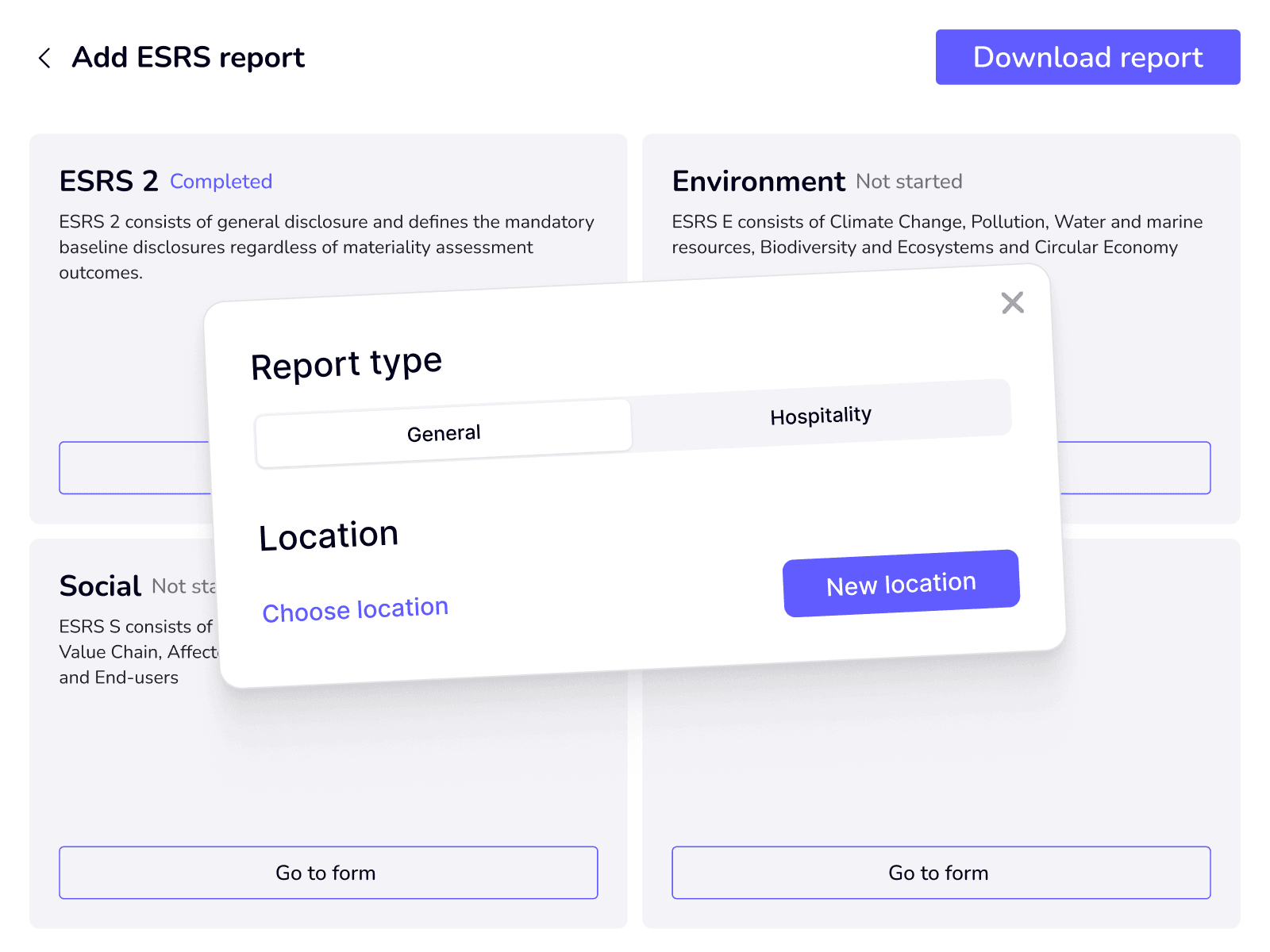
ESRS Building Report
Stay compliant with European Sustainability Reporting Standards using our new automated report generator. This feature compiles required environmental data, generates audit-ready documentation, and highlights compliance gaps.
Enhanced Reduction Planning
We've significantly improved the stability of our reduction planning feature:
Fixed calculation inconsistencies in savings estimates
Resolved synchronization issues between plans and dashboard metrics
Improved performance for large datasets with multiple reduction initiatives
Feature
Fewton is now on mobile
Act on the spot
Fewton now works on your phone. Until now you needed a laptop to see your data and act on recommendations — so the moment you were walking the building, the tool wasn’t with you. Now you can check a site’s numbers, open an alert, and complete a recommended action right where you’re standing: a plant room, by a meter, on the restaurant floor.
Built for the floor, not the desk
The interface is made for quick, on-the-spot use — large touch targets, the essentials first, no clutter. The work happens where the energy is actually used.

Feature
A fresh new look for Fewton
A cleaner, brighter interface
We’ve rebuilt how Fewton looks and feels from the ground up. A new colour system, cleaner typography and more breathing room make the whole platform calmer and easier to scan — so your energy data stands out, not the interface around it.
Your key numbers, at a glance
The new dashboard leads with at-a-glance cards: monthly consumption with a year-on-year comparison, progress against your site target, and your identified savings, verified savings and active alerts all in one row. The numbers that matter are visible the second you log in.
Consistent across every screen
The refreshed design now runs consistently across the whole product, so everything feels familiar wherever you are.
Feature
One click from your email into Fewton
Skip the login
When Fewton emails you about something that needs attention, you shouldn’t have to stop and log in. Now you don’t — links in your notification emails take you straight to the exact screen the email is about.
Straight to what matters
Open an alert or recommendation from your inbox and land right where you need to act. For your security, this one-click access is limited to notification emails only; the normal sign-in page is unchanged.

Feature
Everything in one place — the Files page
One home for every file
Documents used to live in scattered emails and threads. The new Files page brings every file tied to a property into a single, organised place — energy bills, floor areas, agreements, reports, equipment lists, manuals and photos.
Find it by tag, upload in seconds
A tag list down the side lets you jump straight to what you need, and uploading is as simple as dragging files in, tagging each one, and saving. No more hunting for “that gas bill from March”.
